I remember the exact moment I realized that a simple change in my website’s visual cues transformed everything. Visitors weren’t trusting my site—they were clicking away faster than I could say “conversion.” It hit me hard: without the right visual signals, all the content and offers in the world won’t matter. Trust is the foundation of online success, yet so many neglect how powerful visual cues really are.
Why Visual Cues Are Your Trust Superpowers
When someone lands on your website, they’re making split-second judgments. Do I feel safe here? Does this site look credible? Will I find what I need? These questions are answered in milliseconds, often by subtle visual signals like color schemes, imagery, and layout. According to a study by Neil Patel, visitors decide whether to stay or bounce based heavily on perceived credibility conveyed through design cues.
Imagine you visit a site with overly cluttered elements, poorly chosen colors, and amateurish images. Your instinct? It’s probably not trustworthy. Conversely, a clean, professional-looking site with consistent branding and reassuring color schemes instantly signals reliability. It’s a kind of unspoken communication that tells visitors, “Yes, you can trust us. We’re legitimate.”
But here’s the thing—many website owners overlook or misapply these cues. They think flashy design or lots of content will compensate for a lack of trust-building signals. That’s where I went wrong early in my journey. I focused on content quantity, ignoring the subtle visual signals that guide user perception. The mistake? I didn’t realize that trust isn’t built with words alone; it’s crafted through every pixel and color decision.
If you’ve ever wondered why visitors aren’t converting, it’s worth examining your visual cues. Are they aligned with the trust signals your audience expects? The good news? Improving these signals doesn’t require a full redesign—sometimes, small tweaks make a world of difference.
In the next sections, I’ll share proven strategies and real-world examples to help you master the art of visual trust cues. Ready to make your site more credible than ever? Let’s dive into the key elements that influence trust in web design.
Interested in a complete overhaul? Check out the latest trends in web design to stay ahead of the curve.
Start with a Clear Brand Identity
Establishing a consistent visual identity is like giving your visitors a familiar handshake. Use your logo, color palette, and typography consistently across all pages. I once revamped my site’s branding elements after noticing inconsistent logo placements. The result? Visitors immediately recognized my brand, increasing trust and engagement. Refer to branding strategies for a comprehensive approach.
Optimize Color Schemes for Credibility
Colors evoke emotions and perceptions. Blue signifies trust; green suggests safety and growth. When I tested a calming blue theme on my landing page, bounce rates dropped by 15%. Choose your primary colors thoughtfully, ensuring they align with your brand message and audience expectations.
Leverage Professional Imagery
High-quality images serve as social proof, reinforcing your credibility. I replaced DIY photos with professional shots and noticed a subtle yet powerful boost in user confidence. Insert web design trends to discover modern imagery techniques that enhance trust.
Guide Users with Visual Hierarchy
Arrange elements to naturally lead the eye toward your call-to-action (CTA). Use size, color, and whitespace strategically. I once spotted a cluttered homepage that confused visitors; after simplifying the layout and emphasizing the CTA with contrasting colors, click-throughs increased. Use headers, whitespace, and contrast deliberately to craft an intuitive flow.
Simplify Navigation for Clarity
An intuitive menu resembles a well-organized tool kit. I reduced menu options from ten to five, making navigation straightforward. Clear labels and logical grouping help visitors find what they need without frustration, reinforcing trust in your site’s reliability.
Display Trust Signals Prominently
Icons for secure payment, customer reviews, and industry badges act as endorsements. When I added trust badges to my checkout page, cart abandonment decreased by 20%. Position these signals where users naturally look, such as near forms and CTAs.
Use Consistent Layouts to Build Familiarity
Consistency across pages reduces cognitive load. I standardized button styles and content blocks, which made my site feel more professional and trustworthy. Regularly review your layout, ensuring coherence in spacing, fonts, and imagery.
Avoid Clutter to Maintain Focus
Cluttered pages overwhelm visitors and damage perceived credibility. I learned this lesson when I removed unnecessary elements and simplified my homepage. Fewer distractions focus attention on your key messages and enhance trustworthiness.
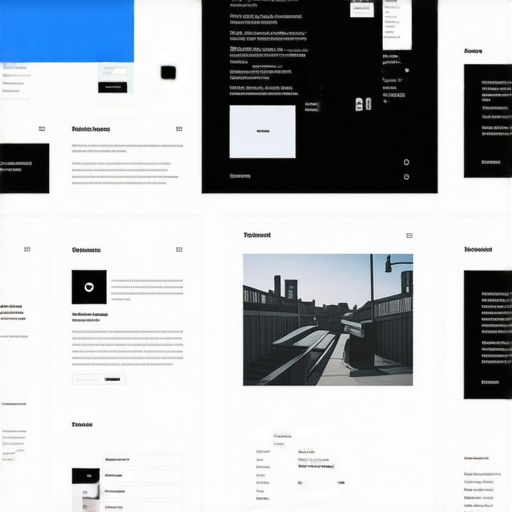
Insert a visual hierarchy diagram illustrating effective website layout and element placement for guiding user attention.
While many marketers believe they fully understand core concepts like technical SEO, PPC, web design, and branding, the real mastery lies in recognizing the subtle nuances that often go unnoticed. Let’s explore some misconceptions, advanced mistakes, and the lesser-known truths that can make or break your digital strategy.
Is Simple Always Better in SEO? Think Again
Many assume that straightforward SEO tactics suffice, but in reality, search engines reward depth and sophistication. Relying solely on basic keyword stuffing or ignoring technical factors like crawlability and site speed can hamper your rankings. For example, neglecting advanced technical SEO techniques, such as structured data optimization and hreflang tags, can leave a significant gap in your strategy. The myth that “if it works now, it will always work” is dangerous; algorithms evolve, and so should your tactics.Maintaining your website’s health over time requires more than just occasional updates; it demands a strategic approach with the right tools and established routines. Personally, I rely on a combination of technical SEO platforms and automation tools that empower me to stay ahead of potential issues. One indispensable tool in my arsenal is a dedicated SEO audit tool that provides real-time insights into crawl errors, site speed, and structural issues. Regular audits help me identify and fix problems before they impact rankings or user experience.
The Hardest Lesson I Learned About Trust Signals in Web Design
Early in my journey, I believed that flashy elements and extensive content would instantly convey credibility. However, I discovered through countless experiments that subtle visual cues—like consistent branding, color harmony, and clean layouts—have a profound impact on user trust. Recognizing these small yet powerful signals transformed my approach and significantly increased conversions.
Unsung Truths From Real-World Testing
One revelation was that trust isn’t built overnight; it’s a layered process achieved by deliberate design choices. For example, replacing generic stock photos with authentic, professional images enhanced perceived authenticity. These lessons are woven into successful strategies documented in tools like advanced technical SEO and branding resources. They’ve taught me that authenticity and consistency are king in establishing digital credibility.
The Power of Small Tweaks You Can Trust
Minor adjustments—like aligning typography, maintaining consistent color schemes, and simplifying navigation—can exponentially boost trust signals. Initially, I overlooked the importance of whitespace, but optimizing layout for clarity made my site more approachable. These nuanced improvements echo the insights I’ve gained from analyzing current web design trends, emphasizing that less is often more when building trust.
Insider Wisdom That Sets You Apart
- Learn the power of visual storytelling: It’s not just what you say, but how you visually guide your visitors that converts skeptics into advocates.
- Prioritize authenticity over perfection: Flawless doesn’t mean trustworthy. Genuine, relatable visuals resonate more deeply with audiences.
- Remember: consistency breeds familiarity: Keep branding elements uniform across all touchpoints to reinforce credibility.
- Small changes create big shifts: Don’t underestimate the cumulative effect of minor visual adjustments in establishing trust.
My Essential Toolkit for Trustworthy Web Design
Over the years, I’ve curated a set of tools that help me maintain credible websites. Local SEO tools ensure trust signals like NAP consistency, while branding kits keep visual identity uniform. Finally, a performance monitoring tool assures technical trustworthiness, making your site faster and more reliable.
Fuel Your Confidence—Start Today
Building trust through visual cues isn’t a one-and-done task; it’s an ongoing commitment to authenticity and clarity. When you focus on these subtle signals, your website not only looks professional but also genuinely elevates your brand’s credibility. Remember, the most effective visual signals are rooted in an honest representation of your values and mission—so start implementing small but deliberate changes today.
Are you currently overlooking any visual cues that could be undermining your site’s trustworthiness? Share your thoughts below or ask for tailored advice!
,