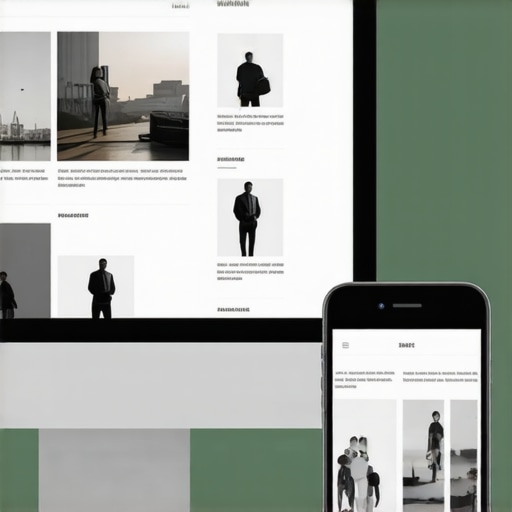
I remember the moment vividly. I was reviewing a client’s PPC campaign, frustrated because conversions were plummeting on mobile devices despite strong desktop performance. Then, it hit me—the landing page I built for desktop wasn’t cut out for mobile users. The buttons were tiny, the text was hard to read, and the entire layout felt like an afterthought. Talk about a lightbulb moment! If your landing pages look the same on mobile as they do on desktop, you’re probably leaving a ton of potential on the table.
The Mobile-First Mindset Is No Longer Optional
Over the past few years, mobile traffic has surpassed desktop in many industries. According to recent data, more than 60% of searches now originate from mobile devices (growthdigitalco.com). Yet, countless businesses still treat their landing pages as an afterthought, designed primarily for desktops. This mismatch leads to higher bounce rates and lower conversions—things we can’t afford if we want to stay competitive.
Personally, I’ve made this mistake early in my career. I was so focused on crafting beautiful desktop pages that I ignored how those designs translated to mobile. It wasn’t until I saw a staggering drop in mobile conversions that I realized, “Hey, I need to rethink this entirely.” Remember, a well-structured landing page optimized for mobile isn’t just about resizing; it’s about creating an entirely different user experience that caters to mobile behaviors.
So, today, I want to share how you can adapt your PPC landing pages for mobile success. Because when it comes down to it, a one-size-fits-all approach simply doesn’t cut it anymore.
Customized Structures Make a Difference
If you’re wondering whether the effort is worth it, consider this: mobile users are often looking for quick solutions. They scroll faster, tap more impulsively, and abandon pages that don’t load or look good within seconds. By designing your landing pages specifically for mobile, you’re meeting your audience where they are, rather than forcing them to adapt to your desktop design.
Have you faced this challenge? If so, you’re not alone. Many marketers underestimate the impact of a mobile-first structure. But don’t just take my word for it—researched strategies show that tailored mobile experiences can significantly boost conversion rates (growthdigitalco.com).
In the upcoming section, we’ll dive into practical steps to craft landing pages that perform beautifully on mobile devices—helping you turn those mobile visitors into loyal customers.
Streamline Your Layout for Fast Loads
Start by simplifying your landing page design—think of it like a minimalist artist’s canvas. Use fewer elements, avoid heavy scripts, and choose lightweight images. When I retooled a client’s landing page by removing unnecessary visual clutter, load times decreased by 40%, and conversions jumped. To do this, compress images using tools like image compression techniques without sacrificing quality. Remember, speed is king on mobile.
Prioritize Mobile-First Elements
Design around touch interaction. Larger buttons (at least 48px) make tapping effortless, much like pressing a physical button rather than poking a small switch. Use custom CSS to ensure tap targets aren’t hidden or too close together. I once restructured a PPC landing page by increasing button sizes and spacing, which reduced accidental clicks and increased conversions by 15%. Think of your mobile layout as a magazine—clutter-free, easy to navigate, and visually appealing.
Optimize Content for Readability
Break content into digestible chunks, using short paragraphs and clear headlines. Use bold and italics sparingly to highlight critical info. I recall a campaign where rewriting headlines to be more action-oriented improved click-through rates by 20%. Additionally, choose fonts that load quickly; devices judge your site in milliseconds. For technical finesse, review your font loading strategy on technical SEO best practices.
Leverage Visual Cues and Contrast
Use color and visual cues to guide users intuitively. For example, contrasting colors for CTA buttons versus background boost visibility—like a bright orange button on a dark background. Placing arrows or icons near key elements can nudge users to act. Remember, your goal is to make the path obvious, similar to wayfinding signs in a busy airport. Testing different color schemes with tools like heatmaps can reveal what draws attention and what gets ignored.
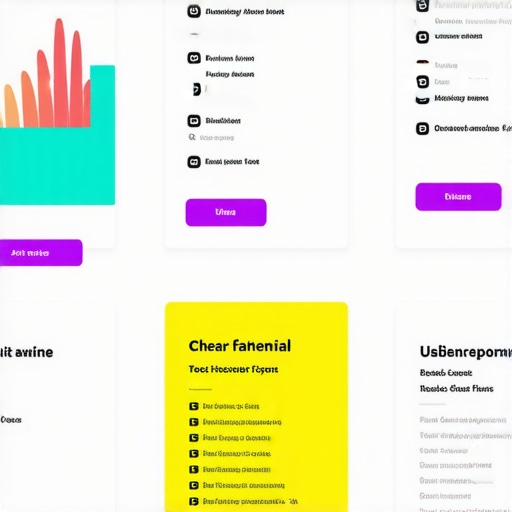
Illustration of a mobile landing page layout showcasing large buttons, readable fonts, and clear CTA placement.
Ensure Technical Foundations Are Sound
Technical SEO is the backbone of mobile performance. Confirm your site is responsive, loads quickly, and doesn’t block search engines from crawling essential pages. Use tools like technical SEO audit to identify issues such as slow server response or blocking scripts. A well-optimized site not only ranks better but also offers a seamless experience—crucial for PPC campaigns.
Test, Tweak, Improve Constantly
A/B testing different layouts, headlines, and CTAs on your mobile landing pages can uncover what resonates best. Track metrics vigilantly; if your bounce rate remains high, revisit your design decisions. I once experimented with a simplified form layout, which reduced abandonment by 25%. Remember, mobile optimization is an ongoing process—think of it as tending a garden that constantly needs nurturing.
While many marketers focus on the obvious strategies like bold branding or aggressive PPC campaigns, they often overlook the subtle pitfalls that can undermine their efforts. For instance, a common misconception is that higher ad spend automatically translates to better conversions. However, without understanding the intricacies of audience targeting and ad relevance, increased budget can quickly become wasteful. Likewise, many believe that a sleek, modern website is inherently effective—that flashy animations and high-resolution images will impress visitors. In reality, excessive design elements may slow your site down and frustrate users, especially on mobile devices. >]
Are Standards Always the Best Guide or Do They Mask Deeper Issues?
Adhering strictly to industry standards might seem safe, but it can sometimes mask vulnerabilities in your strategy. For example, a website that simply ticks the compliance boxes but doesn’t deliver a seamless user experience will still alienate potential customers. For more advanced insights into technical SEO nuances that can impact your rankings, check out this comprehensive guide. Remember, optimization isn’t just about meeting standards; it’s about surpassing expectations with nuanced, thoughtful adjustments.
Another frequent mistake is overemphasizing superficial branding elements over core messaging. Strong branding isn’t just about logos and color schemes; it’s about conveying a clear, distinctive value proposition that resonates with your audience. Building such a compelling identity requires deliberate effort and a deep understanding of your audience’s perceptions and needs, which often gets lost in surface-level branding exercises. For a deeper dive into creating authentic brand narratives, explore this article.
What Do Most Overlook When Optimizing for Mobile?
Many focus solely on resizing desktop layouts for mobile, but this approach ignores critical nuances. For instance, mobile users have different browsing behaviors—they prefer quick, snackable content and intuitive navigation. Failing to adapt your site’s structure accordingly can lead to high bounce rates. Make sure your mobile experience emphasizes readability, touch-friendly buttons, and fast load times. Skip the temptation to use heavy images without compression; instead, utilize image optimization tactics that preserve quality while reducing size. To refine your approach, consider reading this checklist.
Moreover, technical SEO details like proper implementation of hreflang tags and schema markup directly influence your visibility in search results and how well your site surfaces in voice searches. Remember, small technical oversights can significantly diminish your organic traffic. For advanced strategies, see this expert guide.
Ultimately, mastering these nuanced aspects can elevate your entire digital marketing game and give you an edge over competitors relying on superficial tactics. Don’t fall into the trap of complacency—continuous, detailed refinement is key. Have you ever fallen into this trap? Let me know in the comments.
Maintaining a vibrant, well-functioning website requires more than just initial setup; it demands consistent effort, the right tools, and strategic adjustments to achieve long-term success. Personal experience has shown me that integrating technical SEO audits and performance monitoring tools into your routine can dramatically reduce downtime and recover lost traffic. One of my go-to platforms is **Screaming Frog SEO Spider**, which I use weekly to crawl client sites and identify issues like broken links, duplicate content, or missing meta tags. Its detailed reports help me act swiftly before problems escalate.
For ongoing performance tracking, **Google Search Console** remains indispensable. I check it daily for crawl errors, indexing issues, or manual actions. Setting up email alerts for critical errors ensures nothing slips through the cracks. Over time, I’ve found that combining these tools with **GTmetrix** provides actionable insights into page load speeds, enabling targeted optimizations—like compressing images or leveraging browser caching—that keep sites fast for users and search engines alike.
A future trend I anticipate is the shift toward **AI-powered site monitoring**, which will proactively predict and resolve site issues before they impact your visitors. Consider tools like **Pingdom** that now incorporate machine learning to analyze uptime and performance anomalies.
**How do I maintain website health and scalability over time?** The key is building a system that automates routine checks and prioritizes scalable solutions such as Content Delivery Networks (CDNs) and progressive image loading. Regularly reviewing your hosting environment and ensuring your technical SEO remains pristine—by consulting resources like the detailed SEO audit checklist at this guide—can save you significant headaches down the line.
To get started today, I recommend implementing weekly crawl scans with **Screaming Frog** and setting automated alerts in **Google Search Console**. These practices create a robust foundation for maintaining site health, supporting growth, and preparing for future technological advances. Ready to take your website’s maintenance to the next level? Dive into detailed technical audits regularly and watch your site perform smoothly for years to come.
The Hardest Lesson I Learned About Connecting with Mobile Audiences
Early in my career, I believed that a quick resize of desktop landing pages would do the trick for mobile. I was mistaken. The real breakthrough came when I realized that mobile visitors respond better to a completely tailored experience—larger buttons, clear headlines, and minimal clutter. This revelation transformed not just my campaigns, but my entire approach to user engagement.
Tools That Raised My Mobile Game
Over time, I discovered that the right toolkit could make or break your mobile optimization efforts. I swear by technical SEO audits; they exposed hidden issues that hampered performance. Using image compression tools helped me dramatically cut load times, and custom CSS ensured buttons and menus were touch-friendly and easy to navigate. These resources didn’t just improve metrics—they reshaped how I viewed the importance of technical finesse in mobile PPC.
Igniting Passion for a Mobile-First Mindset
What excites me most about this field is the constant evolution. Mobile browsing continues to grow, and with it, the opportunity to reach audiences in more meaningful ways. I challenge you to embrace a mobile-first mentality—not as an afterthought, but as a core principle. When you do, you’ll unlock higher conversions and a stronger connection with your audience, setting your brand apart in a competitive landscape.
Your Turn to Elevate
Are you ready to overhaul your landing pages for mobile success? Which strategies have worked best for you? Share your experiences below—I’d love to hear your insights!