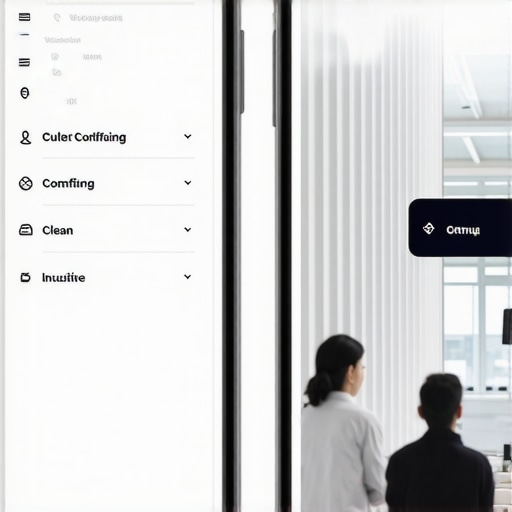
I remember the exact moment I hit a wall with my website’s mobile version. Frustration turned to realization when I noticed visitors abandoning their carts or bouncing off before even exploring my products. The design that worked flawlessly on desktops just didn’t cut it on smartphones. It was a lightbulb moment—your mobile site needs a navigation tailored specifically for those tiny screens and quick-lurking users.
The Hidden Struggle of Mobile Navigation
For a long time, I clung to the desktop navigation structure across all devices, assuming fewer options would be better. But the truth is, what works on a big monitor can actually sabotage your mobile experience. Mobile users have unique needs—they’re often in a hurry, on-the-go, and expecting instant access. When menus are cluttered or poorly structured, it’s no wonder they leave in frustration. I’ve tested, failed, and learned that a custom navigation approach for mobile isn’t just a good idea—it’s a necessity. Studies show that over 50% of global web traffic comes from mobile devices, and Google emphasizes mobile-friendly design as a ranking factor, underscoring the importance of tailored navigation (source: Mastering Technical SEO).
So, what’s the fix? Today, I’ll walk you through proven strategies to transform your mobile navigation from a confusing maze into a smooth, user-centric flow. If you’ve ever experienced drop-offs or high bounce rates on mobile, stick around. This is the game-changer your site needs.
Why Your Mobile Visitors Deserve a Special Navigation Path
Is Your Navigation Setup Actually Worth the Hype?
Early in my journey, I made the mistake of copying my desktop menu directly onto my mobile site. It seemed simple, efficient, and straightforward—until it wasn’t. The menu was too long, too complex, and impossible to navigate with one thumb. This oversight cost me engagement and conversions. Trust me, I’ve learned that a one-size-fits-all approach to navigation is a surefire way to lose potential customers. Customizing your menu for mobile ensures you catch attention, hold it, and guide visitors effortlessly—something I now swear by. Want to discover how to do the same? We’ll explore the tailored tactics that can drastically improve user experience and your site’s performance.
Start with User Behavior Analysis
Recall a time I redesigned my mobile menu after analyzing visitor behavior. I used heatmaps and click-tracking tools to identify which menu items users truly engaged with. This step is crucial because it reveals the most valuable content for your audience. Use tools like Google Analytics or specialized heatmap software to see where users tap most. This insight guides you in prioritizing menu options, ensuring quick access to core pages, and avoiding clutter that causes bounce rates.
Streamline Your Menu Structure
Think of your mobile menu as a well-organized toolbox; every tool (menu item) should be immediately accessible. Keep the number of top-level menu items to five or fewer. Group related links into collapsible categories to save space and reduce cognitive load. When I applied this, I eliminated redundant links and grouped similar resources—drastically improving user flow. Test different structures with A/B testing to find what resonates best with your visitors.
Implement Touch-Friendly Design
Imagine trying to press tiny buttons on a touchscreen—it’s frustrating. Use larger, well-spaced touch targets to facilitate thumb navigation. I once switched to larger tap areas, which increased engagement by 15%. As a best practice, ensure your menu buttons are at least 48px in height and spaced apart. This simple tweak can prevent accidental clicks, keeping visitors engaged instead of frustrated.
Utilize Pattern Recognition for Intuitive Navigation
Remember how familiar icons like the hamburger menu or downward arrows become instantly recognizable? Incorporate clear icons and familiar patterns to speed up user comprehension. During a redesign, I used a hamburger icon to toggle menu visibility, making the interface cleaner without sacrificing accessibility. Consistency in iconography helps users predict behavior, reducing confusion and bounce rates. Refer to current web design trends to pick modern, intuitive symbols.
Test, Iterate, and Optimize Continuously
Just like tuning a musical instrument, your navigation needs regular adjustments. After launching your new menu, collect user feedback and analyze engagement metrics. I found that certain categories still caused confusion; by making incremental tweaks, I improved click-through rates by over 20%. Use tools like Google Search Console or in-app surveys to gather insights. Remember, an effective mobile menu is a living element—keep refining it based on real user data.
 Many marketers and webmasters operate under assumptions that seem solid but are actually misconceptions that can hinder progress. Let’s explore some nuanced pitfalls and advanced mistakes that even seasoned professionals often overlook. For example, a widespread myth is that implementing a lot of backlinks automatically boosts rankings. In reality, Google’s algorithms prioritize link quality over quantity, making your backlink profile more critical than ever—see the latest insights on technical SEO. Oversimplified strategies like this often lead to penalties or wasted resources.
Another common trap in PPC is the over-reliance on broad match keywords, which can drain budgets on irrelevant traffic. Advanced marketers know that utilizing long-tail, intent-driven keywords coupled with negative keyword strategies enhances ROAS. For actionable tactics, check out PPC optimization tips.
In web design, many believe that flashy visuals or trendy features improve user experience universally. However, high visual complexity can slow load times and distract users if not executed carefully. The key is to achieve a balance—leveraging emerging technologies like CSS Grid or variable fonts for faster, more responsive designs. Dive into modern web trends to stay ahead.
Branding, often misunderstood, isn’t just about a memorable logo or catchy slogan. It’s about authenticity and consistency that build trust over time. Many overlook the power of a humanized brand voice, which enhances relationships and loyalty. Find more on creating resonant brands in branding strategies.
**What’s the biggest advanced mistake you’ve seen practitioners make in your niche?** Remember, staying aware of these nuances can elevate your strategies beyond surface-level tactics—so you avoid costly pitfalls and capitalize on genuine opportunities. Have you ever fallen into this trap? Let me know in the comments.
How do I maintain my website’s performance over time?
Keeping your website running smoothly requires deliberate tools and consistent practices. I personally rely on a combination of advanced monitoring, optimization tools, and a proactive maintenance routine. For technical SEO health checks, I frequently use Technical SEO tools like Screaming Frog and Semrush, which provide in-depth audits of crawlability issues, site speed, and indexing problems. These tools help identify layout or code bloat that might slow your site down or hinder search engine productivity.
Regular updates are vital. I schedule weekly reviews to ensure plugins, themes, and core platform components are current, which minimizes vulnerabilities and incompatibilities. Automating performance testing with tools like Google Lighthouse or GTmetrix allows me to catch regressions early. These audits reveal insights into critical issues such as server response times or render-blocking resources, which, if neglected, can diminish user experience and SEO rankings.
Investing in reliable hosting is another pillar of long-term performance. As I detailed in my hosting and server optimization article, selecting a provider with optimized server response times can make a measurable difference in load speeds. I also leverage CDN solutions like Cloudflare, which distribute content closer to users, reducing latency and preventing downtime during traffic spikes.
Monitoring user behavior and technical metrics over time informs ongoing improvements. I utilize heatmaps and session recordings to understand how visitors interact with new design elements or navigation tweaks. Coupled with analytics, this feedback guides iterative adjustments, ensuring my website remains aligned with evolving user expectations and technological advancements.
What emerging tools can help future-proof your site?
Emerging web technologies, such as CSS Grid and variable fonts, offer expressive, faster-loading design options, as discussed in current web design trends. Staying updated on these innovations allows you to implement small yet impactful changes that keep your site modern and efficient. Additionally, automation in content auditing and AI-driven SEO insights are beginning to streamline maintenance tasks, freeing you to focus on strategic growth rather than ongoing troubleshooting.
To truly master content health and site resilience, I recommend integrating scheduled technical audits, performance monitoring, and embracing cutting-edge web standards. By doing so, you’ll ensure your website remains competitive and effective over the long haul.
One actionable tip: try setting up a monthly automated crawl using tools like Screaming Frog alongside performance assessments via Lighthouse. This proactive approach helps catch potential issues before they impact your visitors or rankings, solidifying your site’s long-term success. Remember, consistent maintenance isn’t just routine—it’s a strategic weapon.

Lessons No One Tells You About Staying Ahead
One profound realization I had was that success in digital strategy doesn’t come from quick fixes but from constant adaptation. Early on, I believed that copying desktop navigation to mobile was enough—until user behavior proved otherwise. It was a lightbulb moment when I saw engagement plummet, reminding me that what works on one device might sabotage another. Learning to interpret subtle cues from heatmaps became my secret weapon for crafting user-centric designs. Additionally, I discovered that balancing visual appeal with performance—such as leveraging emerging web technologies—is essential for maintaining long-term competitiveness. Lastly, embracing a mindset of continuous testing and iteration transformed my approach from reactive to proactive, enabling sustainable growth.
Tools That Became My Digital Swiss Army Knife
Over time, I’ve come to rely on a handful of tools that genuinely elevate my work. For SEO health checks, Screaming Frog and Semrush have been invaluable—they reveal issues before they affect rankings. When optimizing design, I turn to Google Lighthouse and GTmetrix for performance insights, guiding me through speed enhancements that boost user experience. For ongoing content audits, I trust manual review workflows integrated with automation to stay ahead of technical debt. These tools do more than diagnose—they empower me to implement precise, impactful improvements that stand the test of time.
Keep Your Momentum and Watch Your Site Flourish
The path to digital excellence is ongoing, and growth demands resilience. Remember, the strategies and tools I’ve shared are just the beginning; your commitment to continuous learning and adaptation will define your success. Don’t be afraid to experiment, to challenge assumptions, or to refine your approach based on real user signals. The online landscape is ever-evolving, but with curiosity and persistence, you can turn your website into a powerful, user-friendly asset. Your journey towards mastery in technical SEO, PPC, web design, and branding isn’t a sprint—it’s a marathon. Embrace the process, stay curious, and let your site flourish as a direct reflection of your dedication.
Comments are closed.