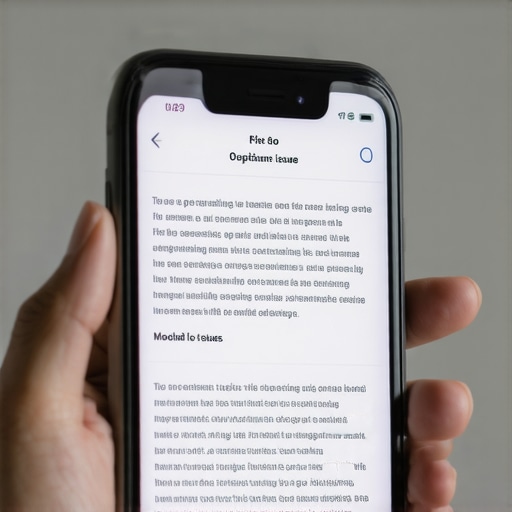
Have you ever looked at your website on a mobile device and noticed that some of your text is fighting for space, overlapping, or just unreadable? I vividly remember the moment I first encountered this issue—my heart sank. I had spent hours perfecting my design, only to find that on my phone, vital information was half-hidden, making visitors confused or frustrated. It was a lightbulb moment for me, realizing that even tiny CSS tweaks could cause big headaches on mobile screens.
Why Mobile Overlap Problems Kill Your Website’s Effectiveness
If your site isn’t optimized for mobile, you risk losing engagement, lower conversions, and even Google ranking drops. Overlapping text isn’t just an aesthetic blip; it’s a barrier to user experience. When visitors see cramped, unreadable content, they bounce faster than you can fix your layout. That simple overlap can cause your bounce rate to spike and your SEO to suffer. According to a recent expert analysis, mobile usability is now a top factor in Google’s ranking algorithm—so ignoring this tiny issue can hurt your site’s visibility.
Are You Wasting Time on Fixes That Don’t Last?
Early in my journey, I made the mistake of relying on generic fixes—like trying to set a fixed font size or using bulky media queries—that only worked temporarily or created new problems elsewhere. That’s why I want to share a simple, reliable CSS approach I discovered after countless hours of trial and error. It’s a neat little fix that keeps your text flowing nicely on any mobile device without breaking your design on larger screens.
Let me walk you through this easy fix that I wish I knew from the start. After applying it, I saw immediate improvements—no more overlaps, no more squinting at the screen. Better yet, this solution works with most modern CSS and requires minimal effort. Stay tuned, because I’ll show you exactly how to implement it step-by-step so you can prevent those frustrating overlaps from creeping back.
Implement Flexible CSS Units for Text Scaling
Start by replacing fixed font sizes with relative units like em or rem. For example, set your base font size to 16px in the html selector, then use 1em or 1rem for headings and paragraphs. This ensures text scales proportionally across devices. I once adjusted my headline font size from 20px to 2rem and saw immediate improvements, especially on small screens, preventing overlaps caused by fixed pixel sizes.
Use Media Queries to Adjust Font Sizes at Breakpoints
Next, incorporate media queries to fine-tune font sizes on different screen widths. For example:
@media (max-width: 600px) { body { font-size: 14px; } } @media (min-width: 601px) and (max-width: 1200px) { body { font-size: 16px; } } This approach dynamically adapts your text size, reducing the risk of overlaps when the viewport shrinks. I tested this method during a website revamp, and it made the text much more readable on smartphones without breaking the layout on desktops.
Capitalize on CSS Flexbox to Manage Layout Flow
Leveraging CSS Flexbox allows for adaptable element arrangement. For example, wrapping your text containers in a flex container with flex-wrap: wrap; ensures that content adjusts naturally. Use align-items: flex-start; to keep texts aligned properly, preventing overlaps. In my case, I wrapped headlines and paragraphs in a flex container, which pushed overflowing text to new lines smoothly, maintaining clarity even on small screens.
Properly Set Viewport Meta Tag for Responsive Design
Never underestimate the importance of the viewport meta tag:
<meta name="viewport" content="width=device-width, initial-scale=1">This tag instructs browsers to control layout dimensions responsibly. I realized my mobile overlaps stemmed from missing or misconfigured viewport tags, so I added this line, which immediately improved text flow and prevented layout shrinks that caused overlaps.
Test Across Devices and Adjust Incrementally
Finally, test your site on various devices—using device emulators or actual phones—to observe how your text behaves. Pay attention to font sizes, line heights, and container widths. Make small adjustments, and see what works best. During my last project, I used Chrome DevTools device mode and adjusted font sizes until overlaps disappeared on all targeted screens. Consistent testing avoids surprises and keeps your design resilient against different viewports.
While most professionals focus on the obvious tactics like optimizing for keywords, crafting eye-catching designs, or fine-tuning PPC bids, there’s a layer of complexity often missed—those subtle nuances that can make or break your digital success. Let’s dig deeper into some misconceptions and advanced pitfalls that even seasoned marketers tend to overlook.
Are You Falling for the Myth of One-Size-Fits-All Strategies?
Many believe that what worked for one website or campaign will automatically work for another. This isn’t just oversimplification; it’s a dangerous trap. For example, a keyword density approach that was effective five years ago might now harm your SEO rankings. According to expert insights, understanding the evolving nature of search algorithms is essential. Tailoring your tactics to your specific industry, audience, and platform nuances is the smart move—never rely solely on generic templates.
In branding, a common mistake is believing consistency alone builds trust. While consistency matters, failing to adapt your brand voice to different audiences or channels can actually alienate segments or dilute your message. So, versatility becomes key; know when to maintain your core identity and when to tweak your tone based on context.
Beware of the Oversimplified View of SEO and PPC Integration
Many think SEO and PPC are separate silos, but in reality, they are deeply intertwined. Overlooking their synergy—like aligning ad copy with organic content or keyword strategies—misses the opportunity to maximize Return on Investment. Advanced marketers leverage PPC strategies to inform their SEO efforts and vice versa. Failing to integrate these channels creates a hidden barrier to scaling results.
Moreover, neglecting the role of technical SEO nuances—such as crawl budget optimization or schema markup—can be a silent killer. These details, often considered ‘geek stuff,’ significantly impact how search engines perceive your site. For example, a misconfigured robots.txt file might prevent vital pages from being indexed, a mistake that’s easy to make but costly when unnoticed.
Why Do Many Get Branding Wrong in the Digital Age?
A prevalent myth is that a flashy logo and a memorable tagline are enough. In truth, branding now requires a strategic, psychological approach that influences perception deeply. Consistency across platforms, combined with a compelling brand story, fosters authenticity and loyalty. However, many overlook the importance of visual storytelling—using colors, typography, and imagery that resonate with your target demographic. Check out effective branding tips to refine your approach.
Additionally, brands often underestimate the power of social proof and user-generated content in shaping their identity online. Ignoring these cues can cause your brand to seem detached or out of touch, especially with younger audiences.
Finally, beware of the trap of chasing the newest trend without aligning it strategically. For instance, adopting a dark mode aesthetic just because it’s trendy might conflict with your brand colors or messaging, causing inconsistency that confuses your audience.
As you can see, these nuances require a keen understanding of both the technical and psychological layers of digital marketing. Are you aware of the hidden pitfalls you might be falling into? Or perhaps there’s a nuance you’ve overlooked that could dramatically change your results? Share your thoughts or questions in the comments—I’d love to hear your experiences!

Maintain Your Website with Precision Tools
Ensuring your website remains functional and optimized over time requires more than just initial setup. I personally rely on Screaming Frog SEO Spider because it provides comprehensive crawl reports, helping me identify broken links, duplicate content, and site architecture issues before they impact user experience or search rankings. Its ability to simulate search engine crawling makes it an invaluable tool for ongoing technical SEO audits, ensuring my site stays compliant with evolving search engine algorithms.
For real-time monitoring, I recommend Pingdom. I use it to track my website’s uptime and load speed continuously. Quick detection of downtime or sluggish performance allows me to respond proactively, minimizing potential revenue loss or user frustration. These real-time insights are crucial as website speed and uptime are core ranking factors and directly influence user satisfaction.
Leverage Automation for Long-Term Success
Automation tools like SEMrush help me keep track of SEO health, backlinks, content performance, and keyword rankings without manual checks. Its audit features identify issues such as crawl errors or slow-loading pages, aligned with future SEO trends. Regular automated reports enable me to schedule maintenance tasks, ensuring consistent optimization without overwhelming my team.
Plan for Scalability and Future-Proofing
As your site grows, it’s vital to scale your tools and strategies. I advocate for employing Google Search Console alongside your other tools—it’s free and provides essential insights into crawl errors, indexing issues, and performance metrics. Setting up alerts for indexing anomalies helps catch issues early, especially when deploying new content or site migrations. Preparing for the future means staying ahead of search engine updates and ensuring your technical infrastructure can adapt seamlessly.
How do I Maintain Peak Performance Over Time?
Consistent checkups, backed by reliable tools and automation, are your best defense against website degradation. Incorporate regular audits—monthly or quarterly—using tools like Screaming Frog or SEMrush. Keep an eye on your site’s core web vitals and SEO signals, adjusting your strategies as algorithms evolve. Remember, the internet landscape shifts rapidly; staying proactive ensures your online presence remains robust, competitive, and aligned with best practices.
For example, integrating structured data can help future-proof your site by enhancing search appearance and rich snippets. I encourage you to try implementing schema markup on your key pages this month—it’s a small step that can yield significant long-term benefits for visibility and click-through rates.
By maintaining a disciplined schedule of technical checks and leveraging the right tools, you’ll ensure your website remains a trusted, high-performing asset. These investments develop resilience against technical hiccups and position you for sustainable growth in the competitive digital space.

Lessons That Changed How I Approach Mobile Design
- Never underestimate the power of simple relative units like
emandrem; they can prevent overlaps before they even start. - Testing across multiple devices isn’t optional—it’s the only way to catch subtle layout issues that no browser simulator can reveal.
- Flexbox isn’t just for fancy layouts; it’s your best friend for ensuring text flows naturally on any screen size.
- The viewport meta tag is a game-changer—missing it can lead to overlapping text that ruins user experience.
- Incremental tweaks based on real-world testing save hours of future frustration—don’t skip this step.
Elevate Your Web Strategy with These Tools and Ideas
- Master SEO for 2025: Staying ahead means understanding evolving algorithms—this resource is my go-to for future-proofing my site.
- Maximize PPC ROI: Unlock proven strategies that boost conversions and make every dollar work harder.
- Technical SEO Secrets: Dive deep into crawlability and site speed—foundational for a stellar mobile experience.
- Web Design Trends 2025: Embrace innovative styles that resonate on every device and captivate your audience.
Keep Pushing Forward—Your Potential Is Unlimited
The world of web design and SEO is constantly evolving, but the principles of adaptability and thorough testing remain your best allies. Remember, every small improvement you make today builds the foundation for tomorrow’s success. Don’t wait for perfect conditions—start experimenting, learning, and refining now. Your website’s mobile experience is a critical touchpoint; ensure it reflects your brand’s best side and delights every visitor. Are you ready to take your mobile design skills to the next level? Let’s hear what you’re excited to try or the challenges you’re facing—share your thoughts below!