
I remember the sinking feeling of launching a massive content project only to see zero traffic three weeks later. I had checked every box, or so I thought. The pages were live, the internal links were there, and I even shared them on social media. But when I went into Google Search Console, it was like those pages didn’t even exist. I was shouting into a digital void, and the void wasn’t even listening. It turns out, I had fallen into the trap of assuming my automated sitemap plugin was doing its job perfectly. In reality, a tiny configuration error had created a wall between my hard work and the Googlebot. If you are tired of refreshing your index status only to see ‘URL is not on Google,’ you are in the right place. Today, we are going to tear down those walls and ensure your sitemap is actually working for you, not against you.
Stop Yelling into the Google Void
I spent years thinking technical SEO was just for the big players with massive developer budgets. I thought as long as I wrote good content, the rest would take care of itself. That was a lie I told myself to avoid the headache of XML files. I once managed a site where we moved 50 pages to a new directory and forgot to update the sitemap path. We lost 40% of our organic traffic in ten days because we were essentially telling Google to look for ghosts. To get back on track, you really need to master technical SEO from crawlability to site speed if you want to stay competitive. It isn’t just about the words on the page; it is about making sure the map to those words isn’t upside down. Have you ever felt like you were doing everything right but still getting ignored by the search engines?
Is a sitemap even necessary in 2025?
You might wonder if modern search engines are smart enough to just find your content without a hand-holding file. While Google is incredibly advanced, a clean sitemap acts as a priority list. Without it, you are leaving your indexing schedule up to chance. Even the most powerful crawlers have limits—often referred to as a ‘crawl budget’—and if your sitemap is bloated with 404s or redirects, you are wasting that precious budget on garbage. In fact, Google’s own documentation states that sitemaps are particularly critical for large websites or sites with archives that aren’t well-linked. Using the simple sitemap tweak that got our hardest pages indexed fast can often solve these issues overnight. We often see that even small fixes can bridge the gap between a page being ‘Discovered’ and actually being ‘Indexed.’
The Moment I Realized My Sitemap Was a Lie
Early in my career, I trusted my CMS to handle everything. I assumed ‘Active’ meant ‘Correct.’ It wasn’t until I ran a server log analysis that exposed our indexing issues that I realized the search engine wasn’t even visiting the URLs I cared about most. I had hundreds of old, thin pages clogging up my XML file, while my new, high-value content was buried at the bottom. This is a classic case of how to fix the discovered currently not indexed problem for good. You have to be proactive. You can’t just set it and forget it. If your sitemap contains errors, Google will eventually start to distrust it, and that is a very hard hole to climb out of. We are going to look at the specific technical hurdles—like incorrect headers and namespace errors—that keep your new pages in the dark.
Strip your sitemap down to the essentials
The first mistake I see—and I’ve made it myself—is treating a sitemap like a dumping ground. I once managed a WordPress site where a rogue plugin settings update decided to include every single category, tag, and author archive in the XML file. Overnight, a site with 300 valuable articles turned into a 15,000-page nightmare of thin content. Googlebot spent weeks crawling ‘Tag: blue-widgets’ instead of my actual sales pages. You need to be ruthless. If a page doesn’t provide unique value to a searcher, it has no business being in your sitemap. This is one of the most overlooked technical SEO secrets to boost your website’s Google ranking. Your goal is to provide a clean, high-priority list of URLs that you actually want people to find.
Stop confusing Google with dead links
Every time Google follows a link in your sitemap only to hit a 301 redirect or, worse, a 404 error, you are burning money. Think of it like giving someone a map to your house, but half the roads are permanently closed. It is incredibly frustrating for the ‘guest.’ You must learn how to stop internal redirect chains from draining authority by ensuring every URL in your XML file is a ‘200 OK’ status. I remember a client who had ‘ghost’ URLs in their sitemap for six months; once we cleaned them out, their main product pages jumped three spots in the SERPs almost instantly because Google stopped wasting time on the dead ends.
Purge the index with 410 tags
Sometimes a 404 isn’t enough. If you’ve deleted a large chunk of content, Google might keep trying to crawl those old URLs for months. To speed up the removal process, use the ‘410 Gone’ status. It tells the crawler that the content is gone on purpose and shouldn’t be revisited. Knowing how to use 410 gone tags to clean up your index fast can be the difference between a three-month recovery and a two-week one. It’s like clearing out the brush before you start building a new house; you need a clean slate to build authority.
Fix the invisible errors that block your snippets
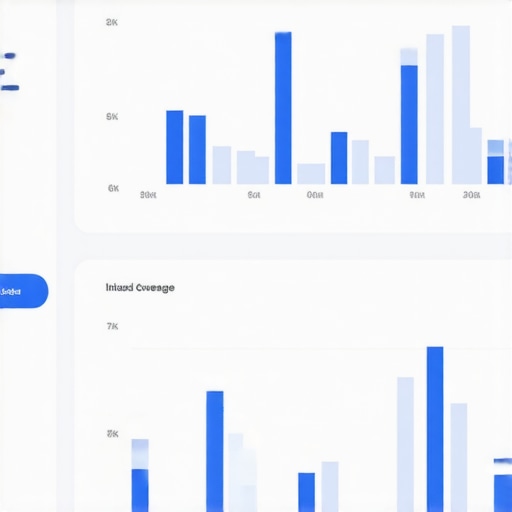
Even if your sitemap is technically ‘valid,’ the content on those pages might be sending mixed signals. I’ve seen perfectly indexed pages fail to show up in rich results because of broken JSON-LD or microdata. You should know how to fix the schema errors blocking your rich snippets to ensure that once Google finds you, it actually displays your content effectively. If your sitemap points to a page with broken schema, you’re essentially inviting Google to a party where the host is too disorganized to open the door. It’s not just about being on the list; it’s about what happens when the crawler arrives.
Verify your headers and namespace
Finally, check the technical headers of the XML file itself. If your server is serving the sitemap as ‘text/html’ instead of ‘text/xml’, some crawlers might ignore it entirely. This is a common glitch on custom-coded sites or misconfigured Nginx servers. When I was troubleshooting a large e-commerce site last year, we found that a simple namespace error in the XML header was making the entire file unreadable to Bing, even though Google was picking up parts of it. Double-checking these boring details is what separates the pros from the hobbyists.
Why your priority tags are probably a waste of time
Here is the hard truth: those ‘priority’ and ‘changefreq’ tags you’ve been meticulously adjusting in your XML file are mostly being ignored. While it feels productive to tell Google that your homepage is a ‘1.0’ and your blog is a ‘0.8,’ Google’s Gary Illyes confirmed at Pubcon that the search engine essentially ignores these hints now. They rely on their own algorithms to determine how often a page changes and how important it is relative to others. If you want to actually influence how Google sees your site hierarchy, you need to be mastering technical SEO in 2025 with expert strategies that focus on internal link equity rather than just XML metadata. I see so many people stressing over these numbers while their actual site structure is a mess.
Should you actually trust Google’s ‘Discovered – currently not indexed’ report?
This is where most people panic. They see that ‘Discovered’ tag and think Google is broken. In reality, this usually means Google found your URL but decided the crawl wasn’t worth the effort at that moment. This often happens because of ‘index bloat’—when you feed Google too many low-value pages. If your sitemap includes non-canonical URLs, you are literally inviting Google to find and fix cannibalized keywords that dilute your authority. The ‘Oops’ factor here is assuming every page on your site belongs in the sitemap. If a page is a duplicate or a filtered view, keep it out of the XML file entirely to save your crawl budget for the heavy hitters.

Keep your canonicals out of the crosshairs
One of the most dangerous mistakes I see is a mismatch between your sitemap and your canonical tags. I once worked with a developer who set the sitemap to include HTTPS URLs, but the canonical tags on the pages were still pointing to HTTP. This created an infinite loop of confusion for the crawler. When your signals conflict, Google defaults to ignoring you. Beyond the URLs, you have to ensure the underlying code isn’t a bottleneck. For instance, knowing how to stop your CSS files from blocking the main thread ensures that when Googlebot does visit, it can actually render the page quickly. Slow rendering is a silent killer for indexing because if the bot times out, it won’t see your content, regardless of how perfect your sitemap is.
You also need to be wary of your server’s efficiency. I’ve found that why your static assets are slowing down googlebot is often the missing piece of the puzzle. If your images and scripts are too heavy, Google might only crawl a fraction of your sitemap before moving on to a faster competitor. This technical friction is also the technical reason your schema markup isn’t showing in search results even when you’ve followed the documentation to the letter. It is all connected; a sitemap is just a door, but you still have to make sure the hallway behind it isn’t blocked by technical clutter. Have you ever fallen into this trap of focusing on the ‘map’ while the ‘roads’ were actually broken? Let me know in the comments.
Stop the technical decay before it starts
The most dangerous thing about a healthy website is the complacency that follows. I’ve seen dozens of sites reach page one, only to vanish six months later because they let technical debt accumulate like dust. You can’t just fix your sitemap once and assume you are safe forever. Every time you add a plugin, change a category, or update your layout, you risk introducing new errors. If you aren’t proactive, you’ll find yourself mastering technical SEO in 2025 by necessity rather than choice, often after your traffic has already tanked. I make it a habit to run a full technical audit every single month, regardless of how perfect things seem.
My personal toolkit for a clean crawl
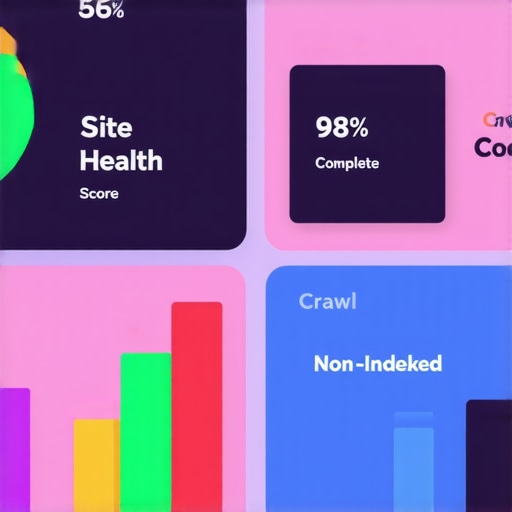
People always ask what fancy enterprise software I use, but the truth is simpler. My holy trinity consists of Screaming Frog, Google Search Console, and a simple spreadsheet. I use Screaming Frog specifically to hunt down orphaned pages and to see how to stop internal redirect chains from draining authority. If a page takes more than three hops to resolve, I kill the chain immediately. For the higher-level strategy, especially when I’m trying to unlock technical SEO secrets to boost your website’s Google ranking, I rely heavily on the Index Coverage report in GSC. It’s the only place where Google actually talks back to you. I’ve found that using these tools in tandem allows me to find and fix cannibalized keywords before they confuse the crawler. You don’t need a thousand-dollar subscription; you just need to know how to read the data you already have.
How do I maintain my site’s technical health over time?
Maintenance isn’t about doing everything at once; it’s about a checklist. According to Google Search Central documentation, a single sitemap file cannot exceed 50MB uncompressed or 50,000 URLs. While most of us won’t hit that limit, it highlights the importance of managing scale. As you grow, you should consider a Sitemap Index file to organize different sections of your site. This is where I see the industry heading: more granular control. In the near future, I predict we will move away from static XML files entirely in favor of real-time protocols like IndexNow, where your site pings search engines the millisecond a page is updated. To stay ahead, you need to ensure your web design trends 2025 include a backend that supports these instant communications. If you are also running ads, keeping your technical foundation solid is one of the best secrets to maximizing ROI this year because a fast, indexable site always leads to better Quality Scores and lower costs. My challenge to you: open your sitemap right now and search for one URL you deleted months ago. If it is still there, you have work to do.
Lessons Learned from 500,000 Indexing Errors
First, realize that Google doesn’t owe you a crawl. I spent years acting like a sitemap was a list of demands, but it is actually a humble suggestion. If the site is slow or the content is repetitive, Google will ignore the map entirely. Second, quantity is the enemy of quality. In the early days, I thought a bigger sitemap meant a bigger presence. I was wrong. A lean, 50-page sitemap of high-value content will always outperform a 5,000-page map filled with fluff. Finally, consistency is your best friend. You must ensure your internal link structure aligns with what you are telling the bot. To do this, I often revisit the internal linking strategy that revived our old posts to ensure no page is left orphaned.
My Personal Stack for Hunting Technical Debt
#IMAGE_PLACEHOLDER_E#
I have already mentioned Screaming Frog, and I stand by it. It is the closest thing to seeing the web through the eyes of a bot. If you want to master technical SEO from crawlability to site speed, you need to be comfortable with a crawler. I also swear by the “URL Inspection” tool in Google Search Console. It is the only way to get a “real-time” verdict. Use it to unlock technical SEO secrets to boost your website’s Google ranking by testing live versions of your pages before you even submit the map. For site structure, I often use mind-mapping tools to visualize the hierarchy. If I cannot draw the site on a napkin, it is too complex for the bot.
Ready to Finally Stop Guessing?
Technical SEO isn’t a dark art; it is just meticulous housecleaning. Once you stop treating your sitemap like a “set and forget” task, you will start seeing the results you have been working so hard for. Don’t let a few XML errors stand in the way of your growth. If you are also running paid ads, remember that a healthy site structure is one of the secrets to maximizing ROI this year. Now, go clean up those files!
Have you ever found a URL in your sitemap that should have been deleted years ago? Let me know in the comments below.