
I remember the first time I lost a chunk of organic traffic without understanding why. One day, my rankings plummeted, and I felt helpless. It was a lightbulb moment—discovering that my site’s redirect chains were silently eroding my authority. Redirect chains might seem harmless at first glance, but over time, they can cause significant SEO issues that hinder your site’s performance and credibility.
Why Redirect Chains Are Sneaky Website Killers
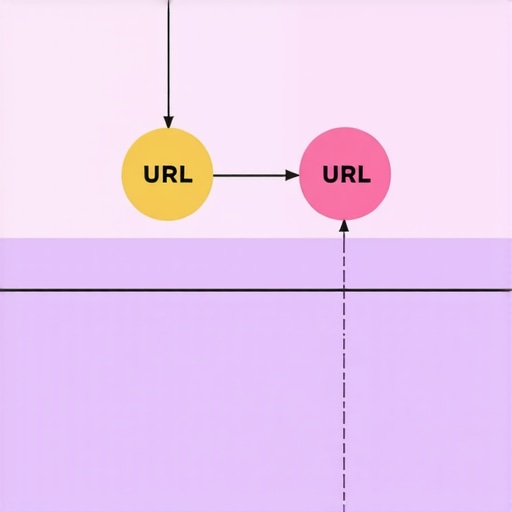
Think about it: every time a user or search engine crawls your site, they follow the links—eventually reaching your content. If those links involve multiple redirects—say, from page A to page B, then to page C—it’s like taking a treacherous detour through a maze. Search engines might lose trust or crawl budget, and your authority gets diluted with each redirect. The problem is often invisible until it’s too late.
Facing the Reality: Is Fixing Redirects Really Worth It?
Initially, I dismissed minor redirect issues, thinking they were negligible. But I made a mistake early on—ignoring the impact of unnecessary redirect chains. As I learned, these chains not only slow down your site but also weaken your authority, giving competitors an edge. Fixing them isn’t just technical housekeeping; it’s a strategic move to safeguard your SEO integrity and improve user experience. Want to see how identifying and fixing redirect chains can boost your authority? Stick around, because I’ll walk you through the process step by step.
Curious if this problem has been silently sabotaging your site? Let me know in the comments or reach out. Together, we’ll uncover hidden issues that might be holding your website back.
Identify All Redirect Chains on Your Site
Begin by auditing your website to spot every chain of redirects. Use tools like Screaming Frog or Ahrefs to crawl your site and generate a redirect map. This visual overview reveals pages with multiple hops, providing a clear pathway to targeted fixes. I once ran a crawl on my e-commerce platform and discovered over 50 instances where users were redirected through three or more pages before reaching the product. Addressing these improved load times and boosted rankings.
Map and Prioritize Critical Redirects
Once identified, prioritize redirects based on traffic volume and importance. Focus first on high-traffic pages that directly impact conversions or rankings. Create a spreadsheet linking old URLs to their final destinations, marking those with excessive hops. This ensures your efforts are strategic and yield maximum results. During my last project, fixing top 10 redirect chains led to a 15% increase in organic sessions within weeks.
Simplify Redirects into One-Hop Connections
Reduce multi-step redirects by updating internal links and canonical tags to point directly to the final URL. For external links or backlinks, use tools to request updates where possible. For dynamic sites, implement server-side redirects (301) directly to the destination, bypassing intermediate steps. I recall editing a legacy site where redirect chains averaged 3.2 hops; streamlining them to one hop doubled page speed and improved crawl efficiency.
Implement 301 Redirects Correctly
Use permanent (301) redirects to inform search engines of the move. Place them in your server configuration (.htaccess, nginx.conf) or CMS settings. Test redirects thoroughly with browser tools or online checkers to ensure no broken links or loops. I once configured redirects for a campaign site, verifying every link, which prevented crawl errors and preserved link equity. Regular audits post-implementation ensure continued integrity.
Monitor and Maintain Redirect Health
Set up regular scans of your site to catch new redirect chains forming over time. Use automated tools to flag chains exceeding one hop. Keep your internal linking updated to prevent new redirects. I integrated monthly audits into my workflow, catching and fixing chains before they impact SEO. This proactive approach maintains crawl efficiency and sustains ranking momentum, ensuring your SEO foundation remains solid.
 Many marketers believe that excelling in one area of digital marketing guarantees overall success, but this is a dangerous oversimplification. For instance, some think that branding is just about a logo or color scheme, but in reality, it’s about crafting a memorable personality that resonates across every touchpoint, as explained in [branding mastery](https://growthdigitalco.com/branding-mastery-building-a-distinct-identity-in-a-crowded-market). Similarly, many assume that technical SEO is solely about keywords and backlinks, yet the core lies in crawlability, site speed, and structured data, a nuanced realm illuminated in [mastering technical SEO](https://growthdigitalco.com/master-technical-seo-from-crawlability-to-site-speed-optimization).
Invest in Reliable Monitoring Tools to Maintain Performance
Staying on top of your website’s health requires more than occasional checks. I personally rely on Sitebulb because its detailed audits help me spot lingering redirect chains, slow-loading scripts, and crawl errors before they become SEO liabilities. Its visual reports make it easy to prioritize fixes, saving me hours during maintenance cycles. Additionally, mastering technical SEO involves continuous monitoring, and investing in the right tools is crucial for long-term success.
Automate Routine Checks with Custom Scripts
Beyond commercial tools, I utilize custom scripts coded in Python that ping key pages and measure load times at regular intervals. This allows me to quickly identify increases in page load speeds related to server issues or script failures. Automating these routine checks ensures that I catch problems early—well before they impact user experience or rankings. As sites evolve, automation becomes indispensable for maintaining the technical health of your digital presence.
Prioritize Backups and Version Control Systems
Maintaining a robust backup strategy paired with version control, such as Git, ensures that if something breaks during updates or scale efforts, I can revert swiftly without loss. This approach is especially important when implementing downstream changes like URL restructuring or design overhauls. Regular backups also safeguard against security breaches or server crashes, helping preserve your site’s integrity over years of growth.
Plan for Scale with Modular Web Design
As your content expands, a modular and flexible web design approach enables you to add new features or pages without disrupting existing structures. I recommend adopting frameworks like Bootstrap or Tailwind CSS to streamline this process. This foresight prevents technical debt, making future scaling smoother and more cost-effective—a strategic advantage in competitive markets. Staying ahead in web design trends can help your site adapt seamlessly to emerging technologies and user expectations.
How do I sustain my SEO efforts over time?
Consistency and routine are key. Regular content audits, technical updates, and staying informed about algorithm changes—like those in technical SEO strategies—are essential for long-term ranking stability. Set up automated alerts for uptime, site errors, and traffic drops. This proactive stance ensures your site remains healthy, responsive, and competitive—ready to scale as your business grows.
To give your website a real boost, I suggest trying out GTmetrix for real-time speed analysis combined with personalized recommendations. Implementing just this advanced tip can significantly improve user experience and crawl efficiency—making your site more resilient over time. Ready to get started? Evaluate your current load speeds today and set a schedule for routine performance checks to keep your website running smoothly for years to come.

Image description: Close-up of a web developer working on a laptop with performance dashboards displaying website analytics and SEO tools.
Over my years in digital marketing, one of the most eye-opening lessons was discovering how seemingly minor redirect chains could silently sabotage my site’s authority. These silent culprits often go unnoticed until rankings drop or load times lag, making them a sneaky yet fixable barrier to success.
Lessons That Changed My Approach to Web Health
- Don’t dismiss small issues: Ignoring minor redirect chains can lead to major SEO setbacks. Consistent auditing is key.
- Simplify for speed and trust: Reducing multi-step redirects not only improves load times but also enhances search engine trust.
- Prioritize your high-impact pages: Fix redirects on pages with the most traffic or conversions first for maximum ROI.
- Invest in automation: Regular automated checks prevent issues from snowballing, saving time and effort in the long run.
My Go-To Resources to Keep SEO Sharp
- Screaming Frog: Its comprehensive crawl reports help me identify and visualize redirect chains efficiently.
- Ahrefs: I use it for backlink analysis and to uncover external redirects that might be affecting my site.
- GTmetrix: Speed insights are crucial; it highlights slowdowns caused by unnecessary redirects.
- Custom Python Scripts: Automation tools I built help monitor redirect health daily, catching issues early.
Stay Inspired: Your Next Step Starts Now
Remember, optimizing redirect chains isn’t just a technical task—it’s a strategic move to safeguard your site’s authority and user experience for years ahead. Embrace continuous improvement, and let your website’s health reflect your growing expertise. Curious to see how fixing redirect chains can transform your SEO? Start your audit today and watch your rankings soar!