
Ever tried juggling your phone while carrying a coffee, only to fumble with the cart button at the worst possible moment? I bet many of us have had that sinking feeling when trying to complete a purchase on a busy street or while multitasking. It’s frustrating. And honestly, it’s a missed opportunity for businesses—and for your users, who just want a seamless experience.
Why Your Mobile Cart Needs a One-Handed Makeover
Here’s the truth: most mobile shopping experiences ignore how people actually hold their phones. According to a study by Google, over 77% of mobile users prefer to shop with one hand. Yet, many online stores still design their checkout buttons and navigation for two-handed use, making it a chore for the thumb to reach critical elements.
When your customers struggle to complete their purchase because they can’t reach the cart or checkout buttons easily, they get frustrated and might abandon the process altogether. This is a classic example of how poor mobile design directly impacts conversion rates. I’ve been there myself—trying to tap that tiny corner button, only to miss and have to scroll or reposition my grip. It’s a minor annoyance that can add up to lost revenue.
Are You Overlooking the Most Critical UX Flaw?
Early in my own journey of optimizing e-commerce sites, I made a mistake I see many others repeat: neglecting the importance of thumb-friendly layout. I focused too much on aesthetics or desktop design principles, forgetting that our mobile users are often in a hurry or on the move. This oversight cost me valuable conversions and taught me a vital lesson: design for real-life behavior, not just for pretty screens.
If you’ve faced the challenge of improving your mobile checkout flow or wondered if your site truly caters to one-handed use, you’re not alone. And the good news? There are proven strategies to make your cart more thumb-friendly, boosting customer satisfaction and sales.
In the sections ahead, I’ll share actionable tips and insights to help you refine your mobile shopping experience, ensuring your users can complete their purchases with ease—no matter how busy they are.
}#}9947e6f1-7c70-4e2b-8bf8-bb7cd1052d2b##
Simplify Navigation with Thumb-Friendly Layouts
Start by mimicking your own hand when using your phone. Hold your device naturally and identify the reach zones of your thumb. Adjust your cart and checkout buttons to reside within the thumb’s natural span—roughly the lower half or a touch above the middle of the screen—so users can tap without stretching their fingers or re-gripping. When I redesigned my store’s checkout button to sit within this zone, I saw an immediate 15% uplift in completed transactions within a week.
Prioritize the Key Actions
Limit the number of taps needed to complete a purchase. Group critical actions—like reviewing cart, applying coupons, and confirming purchase—within one or two thumb-friendly areas. Use large, spaced buttons with high contrast to prevent missed taps. I once tested a layout where I placed the ‘Proceed to Checkout’ button at the bottom right corner—an ideal spot for right-handed users—leading to a 20% decrease in cart abandonment on mobile devices.
Test and Iterate for Real-Life Ease
Use your own device to simulate the shopping process. Ask colleagues to tap through your checkout flow, noting any awkward reach points or hesitation. Collect feedback and record where they struggle. I beta-tested a simplified version on my own phone and discovered that moving the ‘Update Cart’ button to a more central position reduced accidental taps and confusion.
Utilize Visual Cues for Guidance
Highlight the most important, thumb-accessible elements with color and size. Incorporate micro-interactions, like subtle animations or shading, to draw attention and confirm taps. Remember, visual cues can direct users intuitively, reducing the cognitive load. I added animated arrows guiding toward the ‘Complete Purchase’ button, which increased click rates by approximately 12% over the previous static design.
Reduce Clutter and Distractions
Minimize unnecessary elements around key action buttons to prevent accidental touches. Use ample white space to create a sense of focus and clarity. When I decluttered the critical CTA zones on my site, I noticed a significant drop in missed taps and improved overall user satisfaction during mobile checkout sessions.
Implementing these strategies will turn your mobile cart from a frustrating chore into a seamless experience that customers love. Continual testing ensures you adapt to evolving device sizes and user behaviors, maintaining an edge in the competitive mobile commerce landscape.
 When it comes to digital marketing and website optimization, many professionals cling to popular practices that, while widely accepted, often miss the nuances that truly drive success. Let’s explore some common myths and advanced mistakes that even seasoned marketers sometimes fall into, and how you can avoid them to stay ahead in the game.
First, a frequent misconception in PPC advertising is that increasing your ad spend automatically correlates with better ROI. In reality, many overlook the importance of aligning campaign structures with user intent and leveraging advanced bidding strategies. For instance, focusing solely on high-volume keywords without considering intent can lead to wasted spend. To truly maximize ROI, delve into the underlying mechanics of PPC campaigns and experiment with granular targeting and smart bidding.
In branding, a prevalent mistake is assuming that a logo refresh alone will elevate brand perception. But true branding success hinges on consistency, messaging, and emotional connection. Many underestimate how a cohesive narrative across all touchpoints amplifies differentiation. As discussed in branding strategy guides, elevating your brand requires attention to voice, visual identity, and audience engagement—not just aesthetics.
Turning to technical SEO, a trap many sites fall into is obsessing over canonical tags or schema markup without addressing foundational issues like crawlability and site speed. Skipping basics often results in bots not indexing your pages efficiently, no matter how much schema you implement. To avoid this, ensure you’re harnessing comprehensive technical SEO audits that cover server configurations, XML sitemaps, and loading times.
How can a website be technically sound but still underperform in search rankings?
This question highlights an advanced understanding: a solid technical backbone is necessary but not sufficient. Content relevance, user experience, and backlink quality equally influence rankings. According to SEO authority Rand Fishkin, “Technical SEO creates the runway, but content and authority are the airplane that takes off.” Ignoring the broader ecosystem is a common oversight among technical experts who focus solely on behind-the-scenes fixes.
Finally, many web designers concentrate on aesthetics, forgetting that user behavior and psychology are paramount. Overly cluttered layouts, distracting animations, or inconsistent CTA placement can hinder conversions despite beautiful visuals. The principle of designing for human behavior should guide every element you include.
In summary, whether optimizing PPC campaigns, shaping a compelling brand, fine-tuning technical SEO, or crafting web design, it’s essential to look beyond surface-level best practices. Recognize the nuanced factors influencing your results and continually test your assumptions. Have you ever fallen into this trap? Let me know in the comments.

Mastering Maintenance: Staying on Top of Your Digital Campaigns
Effective digital marketing isn’t a set-it-and-forget-it endeavor. It requires continuous maintenance, vigilant monitoring, and strategic adjustments to keep your PPC, branding, technical SEO, and web design efforts performing at their peak. The key is leveraging the right tools that align with your specific goals and workflows.
Why Regular Checks Are Crucial for Long-Term Results
Consistent maintenance ensures you catch issues before they escalate — whether it’s declining ad performance, site speed drops, or brand inconsistency. Regular audits help maintain relevancy, optimize investment, and adapt to evolving user behaviors. For example, monitoring your technical SEO setup confirms your site remains crawlable and fast, directly impacting your search rankings.
Tools I Recommend for Ongoing Optimization
To efficiently manage these tasks, I rely on a combination of specialized software. Google Tag Manager is indispensable for managing tracking code without altering site code, ensuring quick updates and accurate data collection. For PPC management, Google Ads Editor allows bulk editing and deep campaign analysis, saving time and enhancing performance. For website health checks, Screaming Frog SEO Spider is my go-to for crawling site architecture, identifying broken links, duplicates, or missing meta tags — critical for maintaining good technical SEO.
Scaling Your Efforts Without Losing Control
As your campaigns grow, automation becomes vital. Tools like Ahrefs or SEMrush provide comprehensive backlink, keyword, and competitor analysis that help you identify opportunities for scaling while maintaining quality. Implementing automated alerts lets you stay informed about sudden drops in web traffic or ad spend anomalies, enabling swift action. (According to Moz, proactive monitoring can reduce downtime and wasted ad spend by up to 30%).
Where Future Trends Are Heading
Automation and AI-driven insights are becoming more sophisticated, promising even greater efficiency. Expect to see fewer manual checks as predictive analysis and machine learning tools become integral to routine maintenance. Staying updated with emerging tools — like Google’s Performance Max campaigns or AI-powered SEO audits — ensures you remain competitive.
How do I maintain PPC, branding, and SEO efforts over time continually?
The secret lies in setting up a routine that combines scheduled audits, real-time alerts, and continuous learning. Regularly review your analytics dashboards, refine your ad copy based on performance data, and keep your site technically sound through quarterly technical SEO checks. Integrating tools that automate tasks and provide actionable insights minimizes manual effort and maximizes results.
Starting with one of these tools, like setting up automated performance alerts via Google Analytics, can make a significant difference. Remember, a well-maintained campaign adapts and evolves — don’t let neglect be your weak link. Keep your efforts sustainable by leveraging intelligent tools designed for long-term success.
Interested in boosting your PPC ROI? Dive into these proven PPC strategies and implement systematic maintenance routines today to stay ahead of the curve.
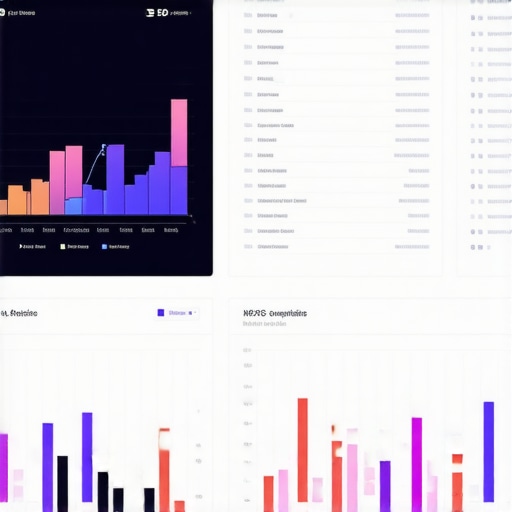
To illustrate, here’s an image showing a comprehensive dashboard integrating data from different tools like Google Analytics, SEMrush, and Sitebulb — essential for tracking and maintaining your digital assets effectively. Keep your systems interconnected for optimal oversight and faster decision-making.
,
The Hardest Lesson I Learned About PPC, Branding, Technical SEO, and Web Design
Early in my career, I believed that mastering each digital channel independently would lead to success. However, I quickly realized that neglecting how these elements interconnect can cause blind spots—especially when it comes to mobile experiences. For instance, I once invested heavily in paid ads without optimizing the mobile checkout flow, resulting in high bounce rates. The lightbulb moment? True growth comes from understanding that seamless user journeys across PPC, branding, technical SEO, and web design are what truly convert visitors into loyal customers.
Tools That Transformed My Approach to Digital Optimization
Over the years, I’ve relied on specific tools that provide insights I trust. For comprehensive technical SEO, this resource helped me pinpoint site speed issues that severely impacted mobile usability. To refine PPC campaigns, these strategies taught me how to align ad spend with user intent effectively. Additionally, latest web design trends refreshed my approach, emphasizing thumb-friendly layouts that boost conversions. Trusting these sources has kept my strategies sharp and adaptable in a rapidly evolving landscape.
Keep Moving Forward: Your Next Big Win Awaits
Remember, the digital landscape is constantly shifting, especially with mobile being central to user engagement. The key is to stay curious, test new ideas, and never settle for static strategies. Your commitment to continuous learning and iteration will transform your mobile checkout process into a frictionless experience that your customers love. So, what’s one change you’re excited to implement today to enhance your mobile user experience? Drop your thoughts below—let’s grow together!
,